
How Patient Access Works by Default
Employees and their information are pulled directly from your electronic medical record (EMR), which remains the system of record. New employees should always be created in the EMR first.
By default, employees can only view patients assigned to them as the nurse or case manager in the EMR.
In some situations, an employee may need access to patients beyond their direct EMR assignments. Patient visibility can be updated to provide this additional access when needed.
How to Grant Access to All Patients- Login to Akssi
- Click on “Administration”
- Under Employees, search for the employee by name.
- Click on the three dots all the way to the right of the person’s information

- Scroll down to User specific roles and permissions.
- Select the office/location the employee should have access to (this grants visibility to all patients in that location).
- Click Save Changes to grant access to every patient within the selected office/location.
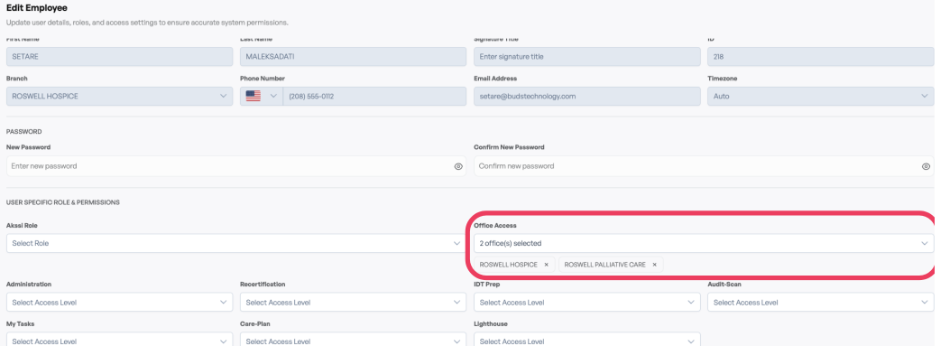
To remove the extra access later, return to the same employee profile and remove the office/location selection. Click Save Changes again to finalize the removal of the additional permissions.